COBOL for FINTECH Project 1
Program Creation
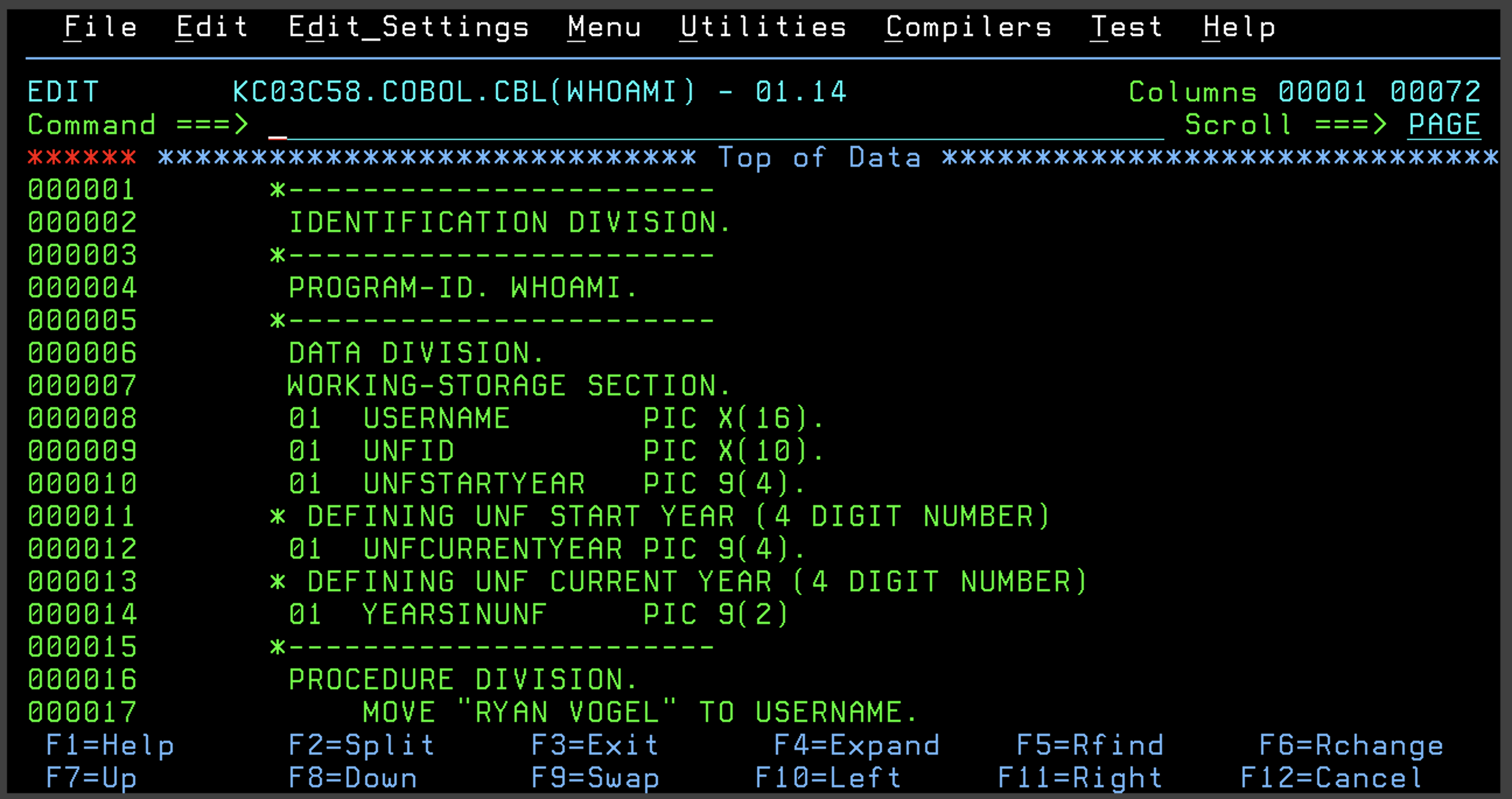
So I wanted to add some flair onto the original prompt, but to fulfil the original prompt I had to at least define 2 PICTURE datasets one for the username and one for the UNF N#.
I added the DATA DIVISION and WORKING-STORAGE to be able to use the variable in the program.
I also wanted to do some computations to create and calculate the time the user had been at UNF with some preloaded values.
I initialized another PIC with the UNFCURRENTYEAR (current year), UNFSTARTYEAR (the year the student started UNF) and a PIC to hold the final computed value.
In the PROCEDURE DIVISION:
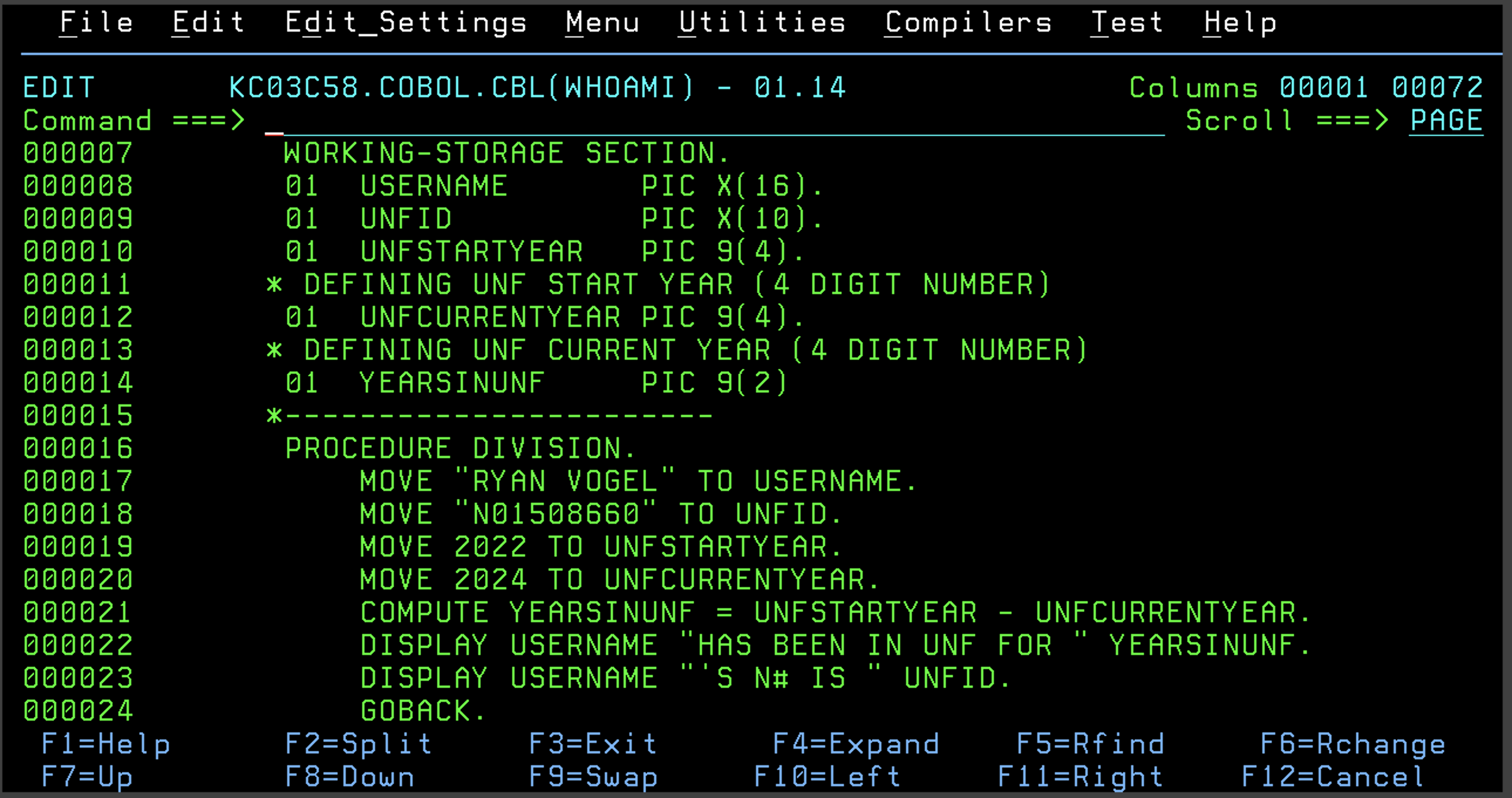
I moved each of the data sources to the PIC datasets as well as the year values.
I then used COMPUTE to calculate the value of how many years the student has been at UNF.
I then displayed the string “<USERNAME> HAS BEEN IN UNF FOR <YEARSINUNF>”
Although arguably now looking at it that’s not proper English so let me update that.
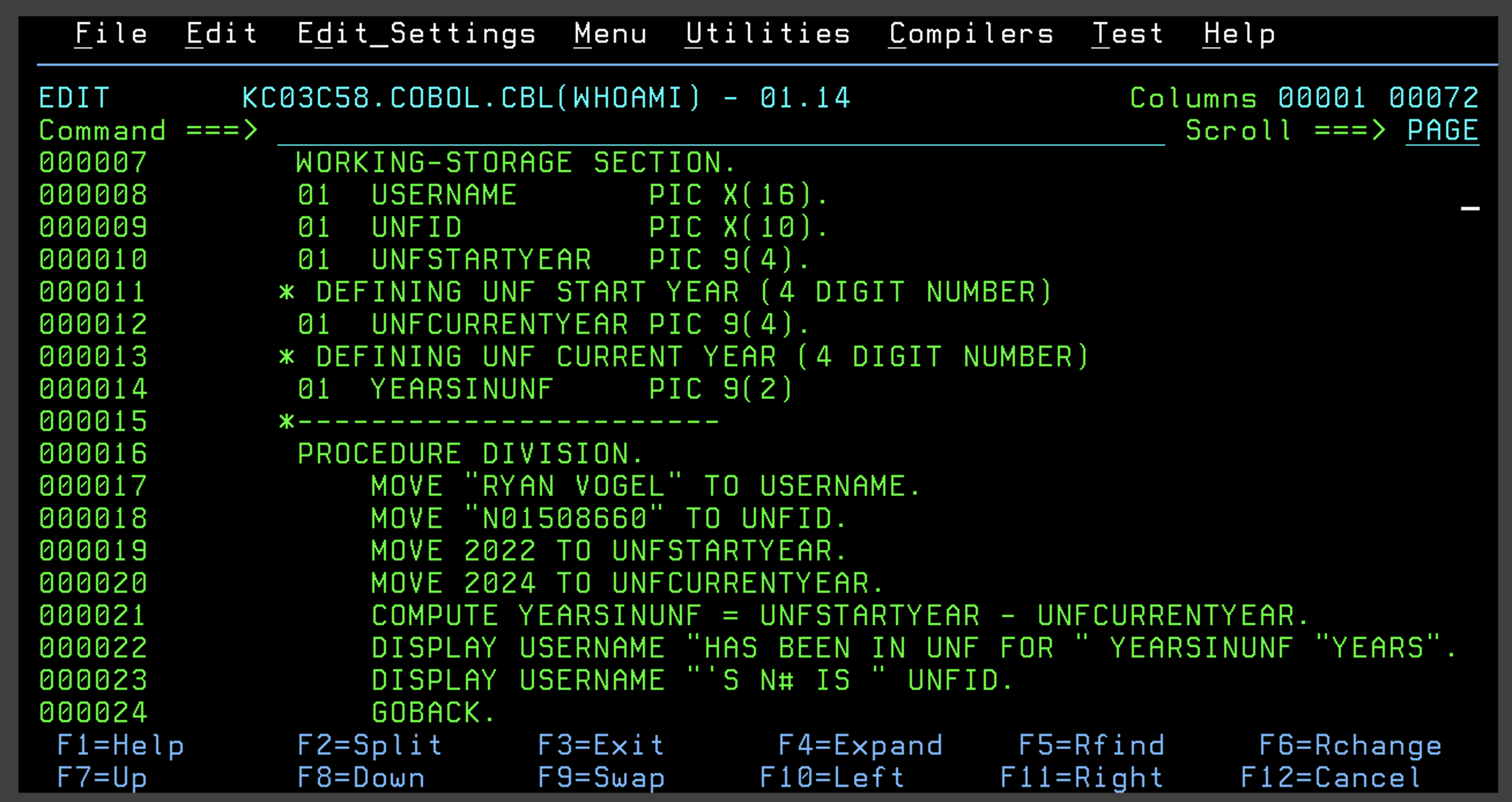
There we go, that’s a bit better for styling and formatting to make the output a little more readable.
Running the Program
When I first went to run the program I got an old program output instead of what I wanted.
I thought that this must be an issue with the JCL, letting my ego get in the way that I could never mess up cobol code well I was wrong. I had multiple syntax errors that I was able to drill into an examine in the SDSF > ST > WHOAMI (program instance) > SYSPRINT module that showed me all of the compile and syntax errors.
I later understood and found out that the issue is that the COBOL was failing to compile so when the JCL went to run the code it was just using the old (safe and compiled) binary it had already created (which, yep you guessed it was my old simple program)
Once I made the syntax changes (adding PIC to variable definitions, moving the * comments back so they are not in the A section, etc) I reran the JCL and was able to compile and run to get this:
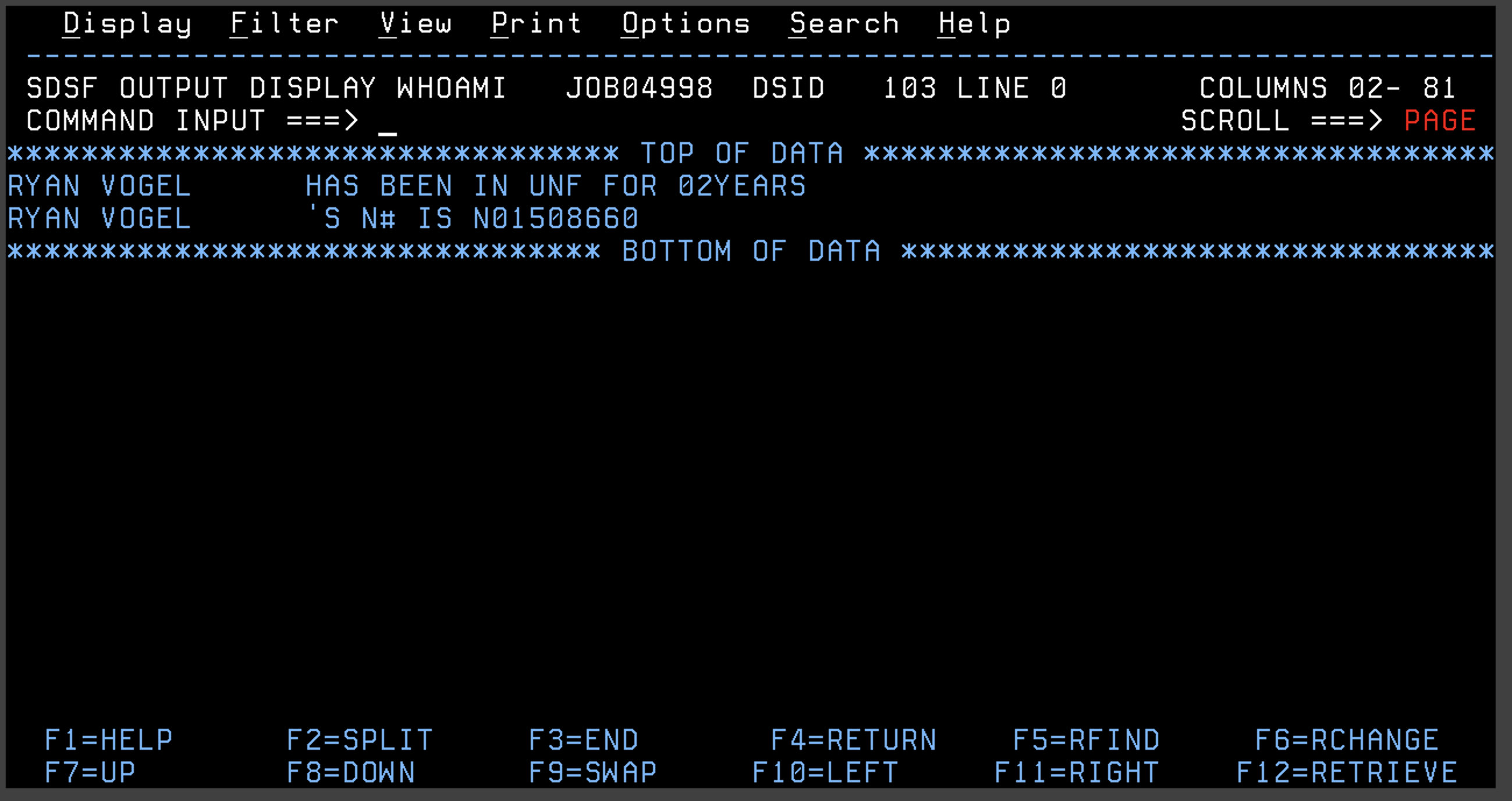 Hooray! The program worked!
Takeaways and Lessons Learned
This was an interesting project to learn about how using the greenscreen is helpful in the way that you can see each part of the compiled module and really drill down to where the program fault occurred. It was good in teaching me how the program actually compiles and loads and runs.